
Getting Started With CV Screener: A Step-by-Step Guide
Hiring a new employee is, more often than not, incredibly time-consuming and prone to errors. Manually reviewing hundreds of resumes results in a tired, stressed-out, and frustrated HR team.
Not to mention that an overly lengthy recruitment process can lead to top talent dropping out and missed opportunities for your business.
This is where CV Screener steps in to help.
In just a few minutes, the AI tool extracts the important criteria from your job description, screens all submitted resumes, and gives you tangible, data-driven results.
AI will not be taking over your decision-making, but it will redefine the way you hire, acting as a support system for your HR team. With it, professionals gain clear insights into top candidates and save valuable time.
Plus, the AI effectively matches the specific requirements of your job description to the skills, experience, and education of each candidate.
This article will walk you through making the most of the CV Screener app, from registering your account to uploading your first job description and resume, and finally screening them and making an informed choice.
Let’s begin.
Use CV Screener To Upload Your First Job Description
Step 1: Head Over To CV Screener and create your free account
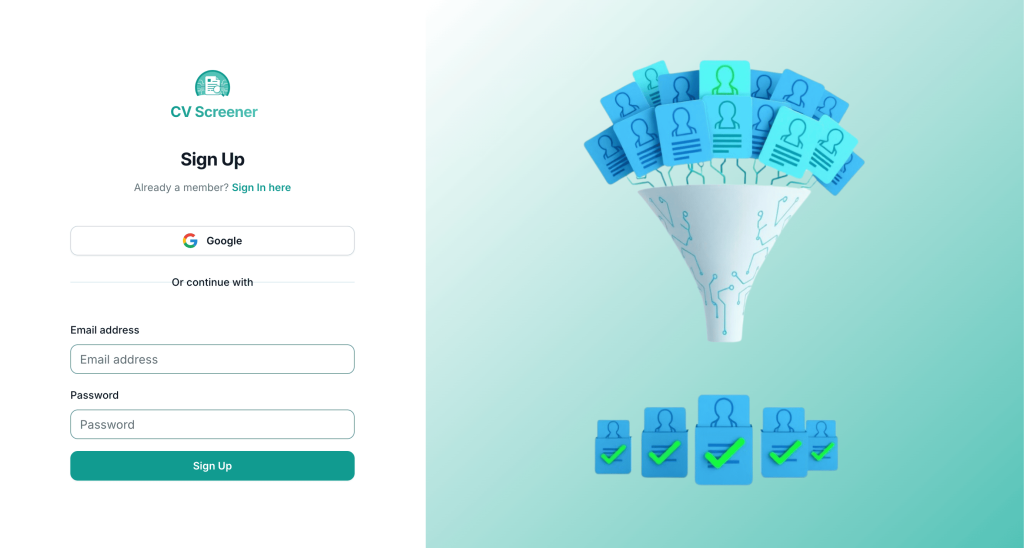
Start your journey to hassle-free hiring by signing up for free on CV Screener. The process is quick and easy: either use your Google account or create a new one with the email address of your choice and a strong password.
Step 2: Upload Job Description From Your Dashboard
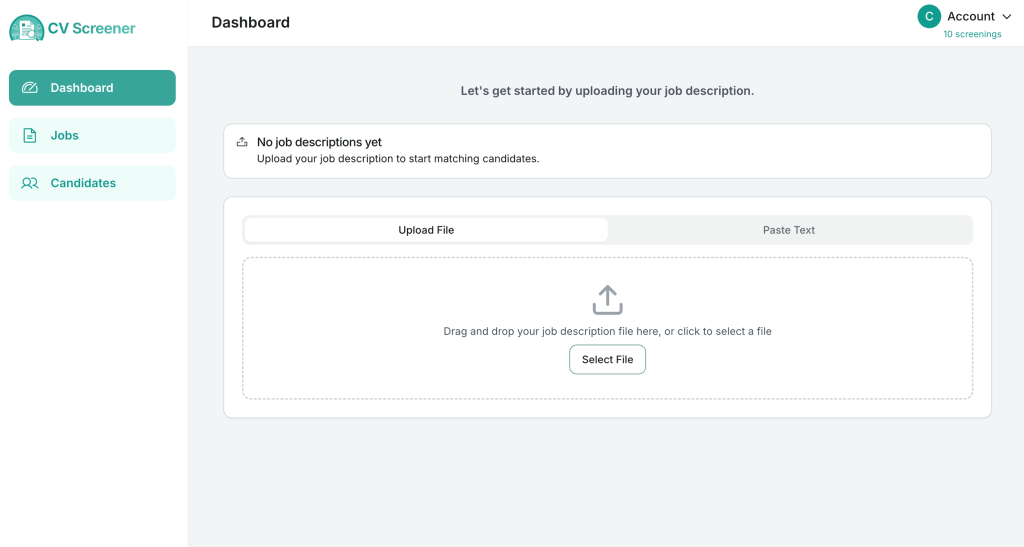
After confirming your email address, you’ll be redirected to your dashboard. On this screen, you’ll see a box where you can click “Select File” to upload a Job Description from your computer (Note: the accepted file formats are .doc, .docx, and .pdf at this time).
Alternatively, you can select “Paste Text” to manually enter the job description into the provided text box.
Step 3: Go to Jobs and Check The Job Description
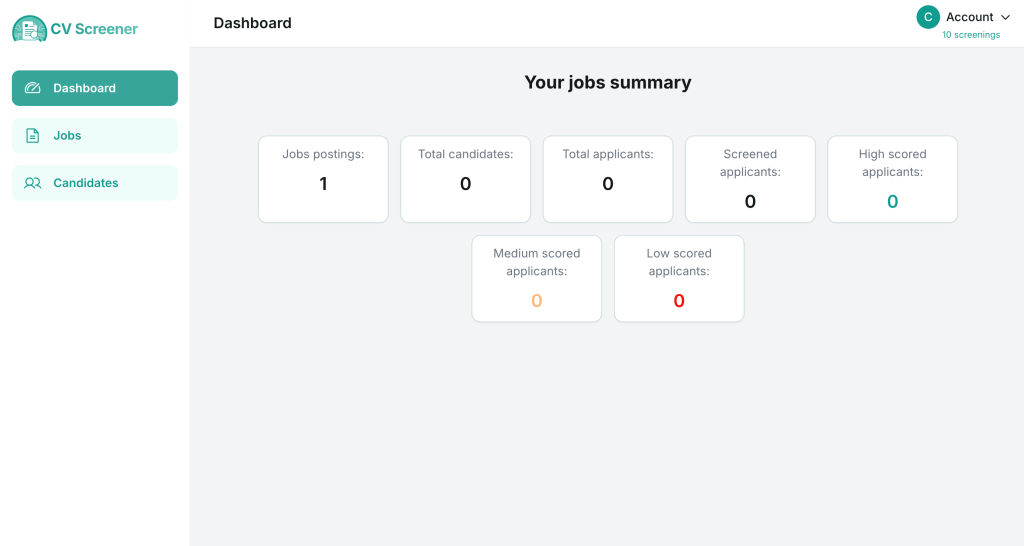
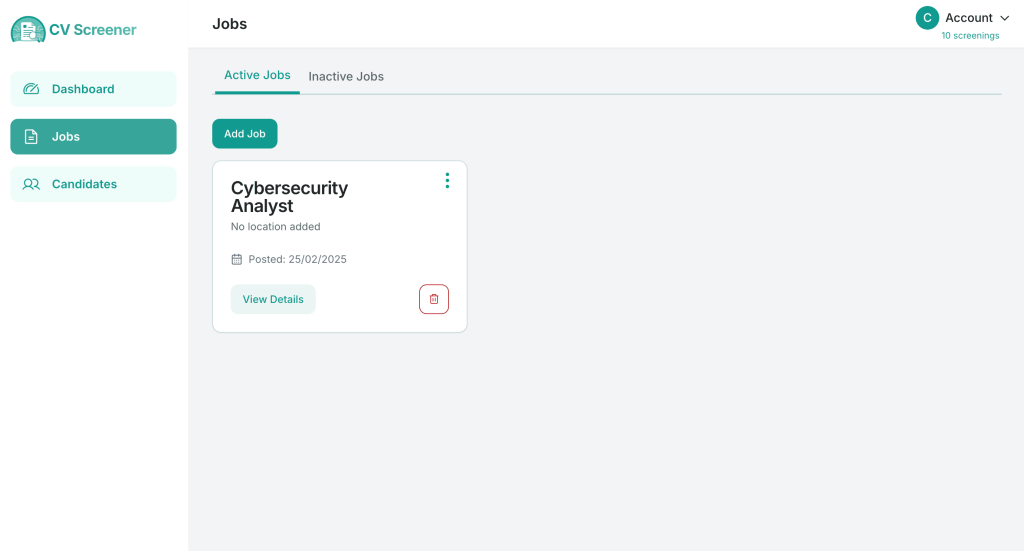
Choose “Jobs” from the left column and then click on “View Details” in the box of your recently uploaded job. A new screen will pop out where you’ll be able to make further modifications if you want to.
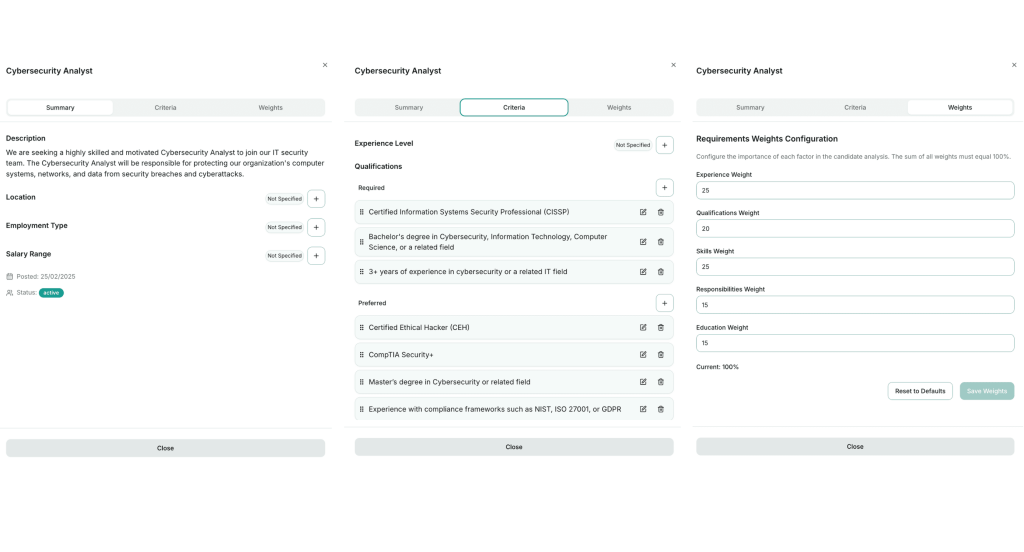
Our AI carefully goes through the document you’ve uploaded and extracts and processes the information, returning a Summary, along with criteria you can include: Location, Employment Type, and Salary Range. You will also see the date when the job was posted and whether the status is Active or Inactive.
In the Criteria tab, you’ll find details such as Experience Level, Qualifications, Skills, and Education Requirements – keep in mind that you can add, modify, or delete any information that’s been automatically listed here from the job description document.
The Weights tab helps customize the hiring process by allowing you to configure the importance of different factors in the candidate analysis. These factors are Experience, Qualifications, Skills, Responsibilities, and Education. All you have to do is give a value to each one of them, making sure that the total sums to 100%.
Step 4: Finishing touches before adding candidates
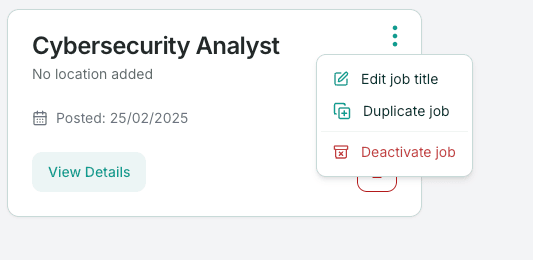
Once you finish editing the job criteria, the last thing you want to do is check if the job title is displayed correctly. Click on the three dots next to the job title and a small floating window will reveal a few options: Edit Job Title, Duplicate Job, and Deactivate Job.
Add Candidates & Screen Their CVs
Now that you have an active job listed, you are ready to upload the resumes and let the AI go through them.
Step 1: Upload Applicant Resumes
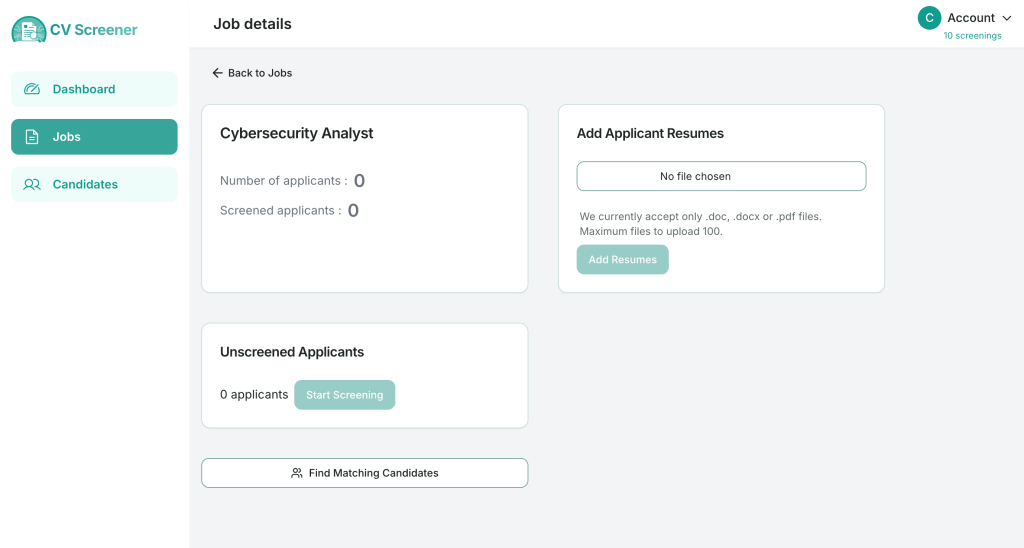
While still on the Jobs screen, click on the job you’ve just uploaded and you’ll be redirected to another screen. Here, you can add resumes and track the number of applicants, including both the screened and unscreened ones.
Similar to the Job Upload process, you can submit .doc, .docx, and .pdf files. Once you finish uploading the resumes, the option to “Start Screening” will become available.
Step 2: Screen Your Candidates’ Resumes
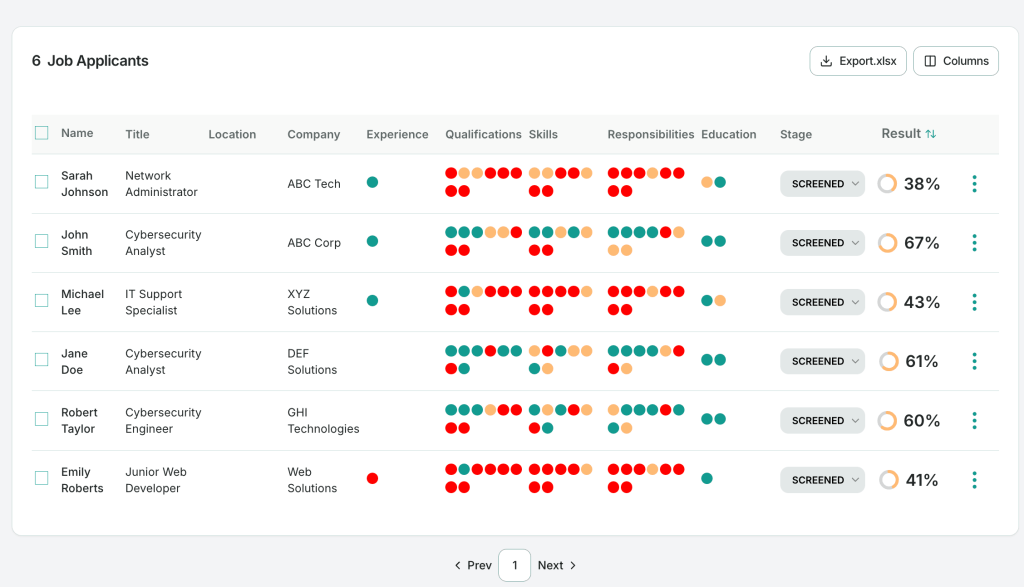
Press “Start Screening” and wait for the AI to process the documents. Once the process is complete, a table displaying all candidates will appear at the bottom of the page.
Candidates are categorized by name, current title, location, company, experience, qualifications, skills, responsibilities, and education.
The last two columns show the candidate stage (you can choose between Interview, Rejected, or Hired) and the AI-generated result – a percentage score reflecting the overall analysis of the resume. This is where your job description becomes important: the clearer you define the required factors for the role, the better the AI will be at accurately sorting through the resumes.
Step 3: Check Out The Top Candidates
You can check the details of every applicant from the table by clicking on the three dots located after the Result column and choosing the “View Details” option.
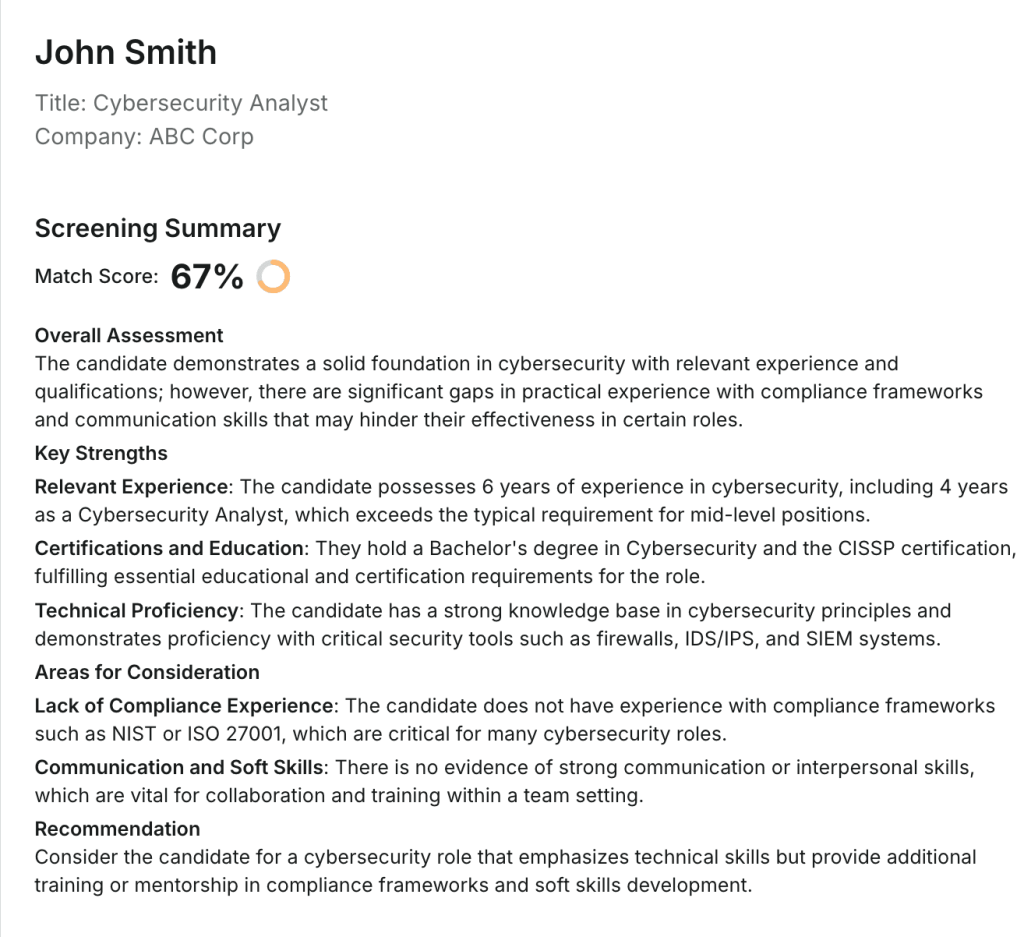
A new window will pop out providing a complete Screening Summary which includes the Overall Assessment and a list of Key Strengths, along with a final Recommendation.
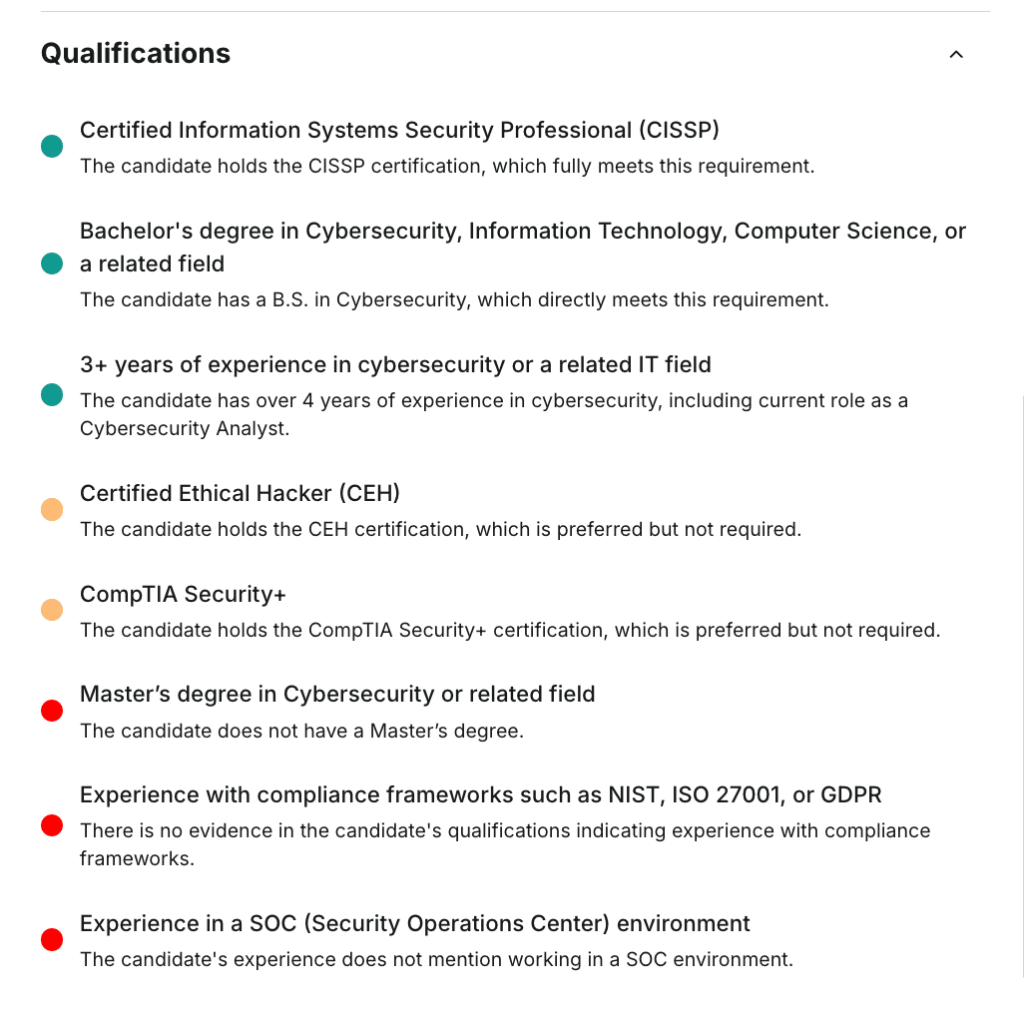
Other topics in this window include Experience, Education, Qualifications, Responsibilities, and Skills. Take note that, even though the AI already screened the resume and extracted the relevant information, you can still select “Show CV Data” to double-check with the actual CV.
Note: You can also download the information from the table into a .xlsx format.
Additional Candidate Details
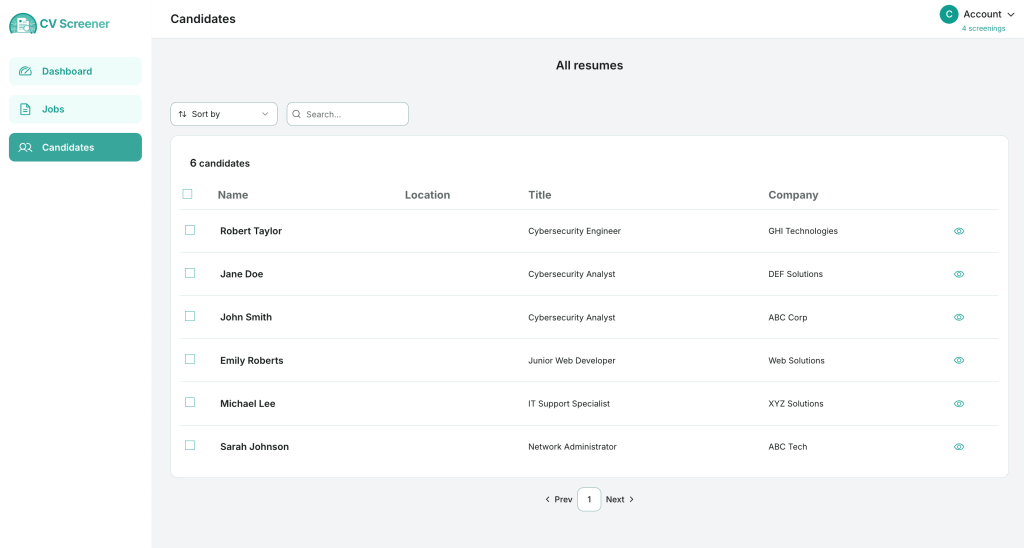
If you click on Candidates from the main left column, you will see the list of all the resumes you’ve uploaded. Press on the eye symbol in the table and you will see their complete CV, along with their contact details.
You can sort the results or search directly by Name, Location, Title, or Company.
Final Thoughts
With CV Screener, you can streamline your hiring process, saving time while ensuring you focus on the most qualified candidates. From uploading job descriptions to screening resumes with precision, every step is designed to make recruitment faster, smarter, and more efficient. By leveraging powerful AI, you’re not replacing human judgment, but rather offering a trusted helper to HR professionals.
Whether you’re a growing startup or an established company, integrating AI into your recruitment strategy can help you build stronger teams with less effort.
Now that you know how easy it is to upload your first job and sort through resumes with CV Screener, it’s time to put it into action. Start screening today and find the best fit for your company!
